<?xml version="1.0" encoding="utf-8"?>
<feed xmlns="http://www.w3.org/2005/Atom">
	<title type="html"><![CDATA[Maratis forum - Best way to export this blender uv texture animation]]></title>
	<link rel="self" href="http://forum.maratis3d.com/extern.php?action=feed&amp;tid=301&amp;type=atom"/>
	<updated>2012-04-14T17:34:00Z</updated>
	<generator>PunBB</generator>
	<id>http://forum.maratis3d.com/viewtopic.php?id=301</id>
		<entry>
			<title type="html"><![CDATA[Re: Best way to export this blender uv texture animation]]></title>
			<link rel="alternate" href="http://forum.maratis3d.com/viewtopic.php?pid=1832#p1832"/>
			<content type="html"><![CDATA[<p>Thank you!</p><p>It worked as expected. Now I can keep experimenting when I have free time.</p><p>And before I make some stupid mistakes, to change the animation speed I would have to repeat the same frame several times? Is there a way to do this from code? or maybe from the Editor.<br />what would be the best way?</p><p>again, thank you so much for your patience</p><p>EDIT: I just found the answer in the Vegas tutorial. Thanks!</p>]]></content>
			<author>
				<name><![CDATA[dc740]]></name>
				<uri>http://forum.maratis3d.com/profile.php?id=554</uri>
			</author>
			<updated>2012-04-14T17:34:00Z</updated>
			<id>http://forum.maratis3d.com/viewtopic.php?pid=1832#p1832</id>
		</entry>
		<entry>
			<title type="html"><![CDATA[Re: Best way to export this blender uv texture animation]]></title>
			<link rel="alternate" href="http://forum.maratis3d.com/viewtopic.php?pid=1831#p1831"/>
			<content type="html"><![CDATA[<p>ok,</p><p>if you are using the &quot;standard&quot; material, just use a diffuse texture that has an alpha channel<br />(be sure your texture is saved in tga or png with alpha channel).</p><p>If the alpha channel is using grey values (anti-aliasing or semi-transparent) set blend mode to &quot;Alpha&quot;</p><p>Leave material alpha to 1 (it is the general alpha), where the diffuse texture alpha channel will be black it will be invisible.</p><p>Don&#039;t forget to select « Maratis » in the Blender Render menu (on top).</p>]]></content>
			<author>
				<name><![CDATA[anael]]></name>
				<uri>http://forum.maratis3d.com/profile.php?id=2</uri>
			</author>
			<updated>2012-04-14T17:01:46Z</updated>
			<id>http://forum.maratis3d.com/viewtopic.php?pid=1831#p1831</id>
		</entry>
		<entry>
			<title type="html"><![CDATA[Re: Best way to export this blender uv texture animation]]></title>
			<link rel="alternate" href="http://forum.maratis3d.com/viewtopic.php?pid=1830#p1830"/>
			<content type="html"><![CDATA[<p>This is what I have in blender</p><p><span class="postimg"><img src="http://img864.imageshack.us/img864/7459/tmpfd.jpg" alt="http://img864.imageshack.us/img864/7459/tmpfd.jpg" /></span></p><p>And yes, I was using influences to get the material to be hidden, while I was showing the texture at the same time. Is there any way to do this in maratis? The idea is to use alpha compositing to hide parts of the texture at the same time.</p><p>That way I manage to show the human body without showing the cube. I know this one looks ugly, but it&#039;s just a test.</p><p>thanks</p>]]></content>
			<author>
				<name><![CDATA[dc740]]></name>
				<uri>http://forum.maratis3d.com/profile.php?id=554</uri>
			</author>
			<updated>2012-04-14T16:15:19Z</updated>
			<id>http://forum.maratis3d.com/viewtopic.php?pid=1830#p1830</id>
		</entry>
		<entry>
			<title type="html"><![CDATA[Re: Best way to export this blender uv texture animation]]></title>
			<link rel="alternate" href="http://forum.maratis3d.com/viewtopic.php?pid=1829#p1829"/>
			<content type="html"><![CDATA[<p>hi,</p><p>do you have a screen-shot ?<br />I don&#039;t understand how it is done. What do you mean by invisible cube with a texture ?</p><p>If you set the material alpha to 0, all the objects using this material will be invisible.<br />The influences are not really supported by Maratis, except the blend mode for the fixed renderer only.<br />There is a list of supported features here : <a href="http://www.maratis3d.org/?p=277">http://www.maratis3d.org/?p=277</a></p>]]></content>
			<author>
				<name><![CDATA[anael]]></name>
				<uri>http://forum.maratis3d.com/profile.php?id=2</uri>
			</author>
			<updated>2012-04-14T15:00:52Z</updated>
			<id>http://forum.maratis3d.com/viewtopic.php?pid=1829#p1829</id>
		</entry>
		<entry>
			<title type="html"><![CDATA[Re: Best way to export this blender uv texture animation]]></title>
			<link rel="alternate" href="http://forum.maratis3d.com/viewtopic.php?pid=1828#p1828"/>
			<content type="html"><![CDATA[<p>Anael, thanks for the suggestion. I finally made my animation in blender (first I used it, it was a fun ride) using that method.</p><p>But I had another issue when I was trying to do an invisible cube with a texture surrounded by invisible borders.</p><p>My material has alpha 0.0<br />My texture has the following influences: color 1.0, alpha 1.0</p><p>This way I make the material invisible, and the image is shown with the invisible alpha channel. I get the desired output in blender&nbsp; but when I exported the mesh in maratis the entity was completely invisible (I couldn&#039;t see the textures either).</p><p>Is this a known unsopported case? is it just a mistake during the export?</p><p>Thanks!</p>]]></content>
			<author>
				<name><![CDATA[dc740]]></name>
				<uri>http://forum.maratis3d.com/profile.php?id=554</uri>
			</author>
			<updated>2012-04-14T14:31:39Z</updated>
			<id>http://forum.maratis3d.com/viewtopic.php?pid=1828#p1828</id>
		</entry>
		<entry>
			<title type="html"><![CDATA[Re: Best way to export this blender uv texture animation]]></title>
			<link rel="alternate" href="http://forum.maratis3d.com/viewtopic.php?pid=1505#p1505"/>
			<content type="html"><![CDATA[<p>Hey, I just remember Vegas did a tutorial on this here :<br /><a href="http://forum.maratis3d.com/viewtopic.php?id=98">http://forum.maratis3d.com/viewtopic.php?id=98</a></p><p>Maybe it can help.</p>]]></content>
			<author>
				<name><![CDATA[anael]]></name>
				<uri>http://forum.maratis3d.com/profile.php?id=2</uri>
			</author>
			<updated>2012-03-01T18:59:59Z</updated>
			<id>http://forum.maratis3d.com/viewtopic.php?pid=1505#p1505</id>
		</entry>
		<entry>
			<title type="html"><![CDATA[Re: Best way to export this blender uv texture animation]]></title>
			<link rel="alternate" href="http://forum.maratis3d.com/viewtopic.php?pid=1494#p1494"/>
			<content type="html"><![CDATA[<p>It&#039;s the game engine. from the output, I would say this is a script. From the maratis mta export:</p><p>!!!Maratis!!!</p><p>!!!TextureAnim num=&quot;1&quot;!!!</p><p>&nbsp; &nbsp; !!!Texture id=&quot;0&quot;!!!<br />&nbsp; &nbsp; &nbsp; &nbsp; !!!translate num=&quot;1&quot;!!!<br />&nbsp; &nbsp; &nbsp; &nbsp; &nbsp; &nbsp; !!!k t=&quot;6&quot; x=&quot;0.000000&quot; y=&quot;0.000000&quot; /!!!<br />&nbsp; &nbsp; &nbsp; &nbsp; !!!/translate!!!<br />&nbsp; &nbsp; &nbsp; &nbsp; !!!scale num=&quot;1&quot;!!!<br />&nbsp; &nbsp; &nbsp; &nbsp; &nbsp; &nbsp; !!!k t=&quot;6&quot; x=&quot;1.000000&quot; y=&quot;1.000000&quot; /!!!<br />&nbsp; &nbsp; &nbsp; &nbsp; !!!/scale!!!<br />&nbsp; &nbsp; !!!/Texture!!!<br />!!!/TextureAnim!!!</p><p>!!!/Maratis!!!</p><p>(I replaced all &lt; and &gt; by !!! to be able to post it)<br />The mapping is exactly the same you described, because I used UV coordinates to place the textures on each side of the cube. The UV coordinates are correctly exported to Maratis, so yes, that must be using a script. I&#039;ll keep trying to do the same effect using offset changes.<br /><span class="postimg"><img src="http://img404.imageshack.us/img404/740/tmpv.jpg" alt="http://img404.imageshack.us/img404/740/tmpv.jpg" /></span></p><p>as you can see the texture is correctly placed (that&#039;s how you have to place the texture on each face for the animation to scroll in the game engine). I&#039;ll try to do it again but using offsets this time. I&#039;ll probably use different files for each side of the cube (because some animations have 5 frames instead of 6 (I&#039;m experimenting with an existing 2D game).</p>]]></content>
			<author>
				<name><![CDATA[dc740]]></name>
				<uri>http://forum.maratis3d.com/profile.php?id=554</uri>
			</author>
			<updated>2012-02-28T12:18:35Z</updated>
			<id>http://forum.maratis3d.com/viewtopic.php?pid=1494#p1494</id>
		</entry>
		<entry>
			<title type="html"><![CDATA[Re: Best way to export this blender uv texture animation]]></title>
			<link rel="alternate" href="http://forum.maratis3d.com/viewtopic.php?pid=1493#p1493"/>
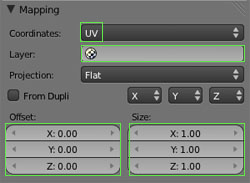
			<content type="html"><![CDATA[<p>What is this &quot;Game Properties&quot; tab ? is it a script generating a uv-offset animation ?</p><p>The uv-offset is what is used in Maratis for this kind of thing :<br /><span class="postimg"><img src="http://www.maratis3d.com/wp-content/uploads/2011/01/10.jpg" alt="http://www.maratis3d.com/wp-content/uploads/2011/01/10.jpg" /></span></p>]]></content>
			<author>
				<name><![CDATA[anael]]></name>
				<uri>http://forum.maratis3d.com/profile.php?id=2</uri>
			</author>
			<updated>2012-02-28T11:41:01Z</updated>
			<id>http://forum.maratis3d.com/viewtopic.php?pid=1493#p1493</id>
		</entry>
		<entry>
			<title type="html"><![CDATA[Best way to export this blender uv texture animation]]></title>
			<link rel="alternate" href="http://forum.maratis3d.com/viewtopic.php?pid=1492#p1492"/>
			<content type="html"><![CDATA[<p>I have this video showing up my texture. Each side of a cube has a different animation from the same texture (left, right, front and rear), which plays using the blender game engine. Now, what&#039;s the best way to do this in Mariatis? What do you think?<br /><span class="postimg"><img src="http://img190.imageshack.us/img190/2271/tmpj.jpg" alt="http://img190.imageshack.us/img190/2271/tmpj.jpg" /></span></p><br /><p>Demo mpg file:<br /><a href="http://www.mediafire.com/?6kj5ogl8ln1y2le">http://www.mediafire.com/?6kj5ogl8ln1y2le</a></p>]]></content>
			<author>
				<name><![CDATA[dc740]]></name>
				<uri>http://forum.maratis3d.com/profile.php?id=554</uri>
			</author>
			<updated>2012-02-27T21:48:17Z</updated>
			<id>http://forum.maratis3d.com/viewtopic.php?pid=1492#p1492</id>
		</entry>
</feed>