<?xml version="1.0" encoding="utf-8"?>
<feed xmlns="http://www.w3.org/2005/Atom">
	<title type="html"><![CDATA[Maratis forum - Terrain and Landscape Study for Maratis]]></title>
	<link rel="self" href="http://forum.maratis3d.com/extern.php?action=feed&amp;tid=553&amp;type=atom"/>
	<updated>2013-09-08T06:09:10Z</updated>
	<generator>PunBB</generator>
	<id>http://forum.maratis3d.com/viewtopic.php?id=553</id>
		<entry>
			<title type="html"><![CDATA[Re: Terrain and Landscape Study for Maratis]]></title>
			<link rel="alternate" href="http://forum.maratis3d.com/viewtopic.php?pid=4928#p4928"/>
			<content type="html"><![CDATA[<p>Im having no luck at all getting textures in via&nbsp; &nbsp;sculptris, mind sharing what your workflow was ? The obj file won&#039;t even import in that way.</p><p>I saved out a OBJ and tried the import 3d model in Maratis, but nothing at all came in , though maratis clearly took several seconds to think about it. Still a blank project.</p><p>OK I tried again this morning having better luck, maybe memory was fragmented I &#039;ve no idea, but its at least bringing the item into maratis BUT with n o te xture, so does anyone have a clue how to get multiple textured items out of any modeler, and into maratis ???</p><p>Anyone have any idea how to get textured items into blender from sculptris ? Shouldn&#039;t the exported OBJ contain it or do you need to specifically save out the map in same directory ?</p>]]></content>
			<author>
				<name><![CDATA[VeganDev]]></name>
				<uri>http://forum.maratis3d.com/profile.php?id=18</uri>
			</author>
			<updated>2013-09-08T06:09:10Z</updated>
			<id>http://forum.maratis3d.com/viewtopic.php?pid=4928#p4928</id>
		</entry>
		<entry>
			<title type="html"><![CDATA[Re: Terrain and Landscape Study for Maratis]]></title>
			<link rel="alternate" href="http://forum.maratis3d.com/viewtopic.php?pid=4927#p4927"/>
			<content type="html"><![CDATA[<p>Applied textures won&#039;t cut it for &#039;some&#039; things, but many other static objects prob. just fine. I think in terms of landscapes a lot, as its what I love doing, and for that painting textures ( splatting , whatever one wishes to refer to it as) requires multiple ones.</p>]]></content>
			<author>
				<name><![CDATA[VeganDev]]></name>
				<uri>http://forum.maratis3d.com/profile.php?id=18</uri>
			</author>
			<updated>2013-09-08T05:46:33Z</updated>
			<id>http://forum.maratis3d.com/viewtopic.php?pid=4927#p4927</id>
		</entry>
		<entry>
			<title type="html"><![CDATA[Re: Terrain and Landscape Study for Maratis]]></title>
			<link rel="alternate" href="http://forum.maratis3d.com/viewtopic.php?pid=4926#p4926"/>
			<content type="html"><![CDATA[<div class="quotebox"><cite>heartseed wrote:</cite><blockquote><p>HM I never thought about&nbsp; &nbsp; &nbsp;skethcup, so Ill give that a try, but I wasnt&#039; aware it allowed you to paint with multiple textures on one object or does it ? &lt; Ill try and see&gt;</p><p>Ya I&#039;d forgotten about sculptris as I&#039;ve been primarily using&nbsp; it for modeling , and when I try texturing with it, the textures wind up looking dull and washed out so clearly I need to fiddle with some settings, so I&quot;ll give that a go. EDIT: Ok ya, clearly when I tried it initialy I had used 512 for size,,trying at the very least 2048 seems to make a big differnence, imagine that;)</p><p>thx for verification about blender, as it seems somebody that knows a lot more of how an what it does will need to help us on this issue. Frankly I really think I prefer sculptris, so I&#039;ll try it along with skethcup ( though for awesome features you really need PRO version, but meh). Actually now that I see the website, not even a non profit organization as I have, can use sketchup make for profit of anykind, so that&#039;s out of the question now <img src="http://forum.maratis3d.com/img/smilies/wink.png" width="15" height="15" alt="wink" /> Even a non profit is allowed to make some profit , as long as its under the norm.</p><p>Cheers<br />hs</p></blockquote></div><p>Oh, skethup doesn&#039;t allow you to paint textures. But the applied textures get in okay. Sculptris is best for paintng.</p>]]></content>
			<author>
				<name><![CDATA[Tutorial Doctor]]></name>
				<uri>http://forum.maratis3d.com/profile.php?id=2493</uri>
			</author>
			<updated>2013-09-08T05:24:38Z</updated>
			<id>http://forum.maratis3d.com/viewtopic.php?pid=4926#p4926</id>
		</entry>
		<entry>
			<title type="html"><![CDATA[Re: Terrain and Landscape Study for Maratis]]></title>
			<link rel="alternate" href="http://forum.maratis3d.com/viewtopic.php?pid=4925#p4925"/>
			<content type="html"><![CDATA[<p>HM I never thought about&nbsp; &nbsp; &nbsp;skethcup, so Ill give that a try, but I wasnt&#039; aware it allowed you to paint with multiple textures on one object or does it ? &lt; Ill try and see&gt;</p><p>Ya I&#039;d forgotten about sculptris as I&#039;ve been primarily using&nbsp; it for modeling , and when I try texturing with it, the textures wind up looking dull and washed out so clearly I need to fiddle with some settings, so I&quot;ll give that a go. EDIT: Ok ya, clearly when I tried it initialy I had used 512 for size,,trying at the very least 2048 seems to make a big differnence, imagine that;)</p><p>thx for verification about blender, as it seems somebody that knows a lot more of how an what it does will need to help us on this issue. Frankly I really think I prefer sculptris, so I&#039;ll try it along with skethcup ( though for awesome features you really need PRO version, but meh). Actually now that I see the website, not even a non profit organization as I have, can use sketchup make for profit of anykind, so that&#039;s out of the question now <img src="http://forum.maratis3d.com/img/smilies/wink.png" width="15" height="15" alt="wink" /> Even a non profit is allowed to make some profit , as long as its under the norm.</p><p>Cheers<br />hs</p>]]></content>
			<author>
				<name><![CDATA[VeganDev]]></name>
				<uri>http://forum.maratis3d.com/profile.php?id=18</uri>
			</author>
			<updated>2013-09-08T03:49:07Z</updated>
			<id>http://forum.maratis3d.com/viewtopic.php?pid=4925#p4925</id>
		</entry>
		<entry>
			<title type="html"><![CDATA[Re: Terrain and Landscape Study for Maratis]]></title>
			<link rel="alternate" href="http://forum.maratis3d.com/viewtopic.php?pid=4924#p4924"/>
			<content type="html"><![CDATA[<div class="quotebox"><cite>heartseed wrote:</cite><blockquote><p>I&#039;m still having no luck getting what I texture paint inside Maratis from blender or any other modeler. I know this is a OLD thread but its certainly applicable still.</p><p>I saw Anael&#039;s page about multiple materials, but that is of very little help, because materials alone give no depth whatsoever ( short of VERY simple visuals/games), so for decent professional work you need texture painting , but maybe the way Im doing it wont come into maratis from its exporter.</p><p>I cant get the object and its texture inside maratis, but instead of a lot of grass on one EDGE of terrain model and sand everywhere else, its like sand is mostly everywhere, and grass only in small bits&nbsp; &nbsp; in a few places, and this is definitely not how it looks inside blender, yet blender render shows it closer to how it shows up inside maratis.Very confusing.</p><p>I wish zester had been more specific about how he did the splatting texture work, but given what Im doing so far isn&#039;t working as far as getting it to look right inside maratis, I wonder if zester was just using stencil maps inbetween his textures, where atm IM not doing that as I just load the textures and start painting with &#039;texture painting&#039; panel.</p><p>Ive been Very busy making models so Im left texturing for another day, but that is coming very soon , so I wanted to get back into it. I guess I&#039;ll have a look at the Tutorials on wiki, but I also felt that if someone came here first and saw this they might be a bit confused, as &#039;materials&#039; here that sadwolf used LOOK more like textures than materials.</p><p>Thx<br />hs</p></blockquote></div><p>I am having materials issues also. Only way I can get them in is an export from sketchup directly to maratis using assimp. Also Scuptris textures work using assimp also. I would like to use blender, but perhaps sculptris is the best way to go so far.</p>]]></content>
			<author>
				<name><![CDATA[Tutorial Doctor]]></name>
				<uri>http://forum.maratis3d.com/profile.php?id=2493</uri>
			</author>
			<updated>2013-09-08T01:25:32Z</updated>
			<id>http://forum.maratis3d.com/viewtopic.php?pid=4924#p4924</id>
		</entry>
		<entry>
			<title type="html"><![CDATA[Re: Terrain and Landscape Study for Maratis]]></title>
			<link rel="alternate" href="http://forum.maratis3d.com/viewtopic.php?pid=4922#p4922"/>
			<content type="html"><![CDATA[<p>I&#039;m still having no luck getting what I texture paint inside Maratis from blender or any other modeler. I know this is a OLD thread but its certainly applicable still.</p><p>I saw Anael&#039;s page about multiple materials, but that is of very little help, because materials alone give no depth whatsoever ( short of VERY simple visuals/games), so for decent professional work you need texture painting , but maybe the way Im doing it wont come into maratis from its exporter.</p><p>I cant get the object and its texture inside maratis, but instead of a lot of grass on one EDGE of terrain model and sand everywhere else, its like sand is mostly everywhere, and grass only in small bits&nbsp; &nbsp; in a few places, and this is definitely not how it looks inside blender, yet blender render shows it closer to how it shows up inside maratis.Very confusing.</p><p>I wish zester had been more specific about how he did the splatting texture work, but given what Im doing so far isn&#039;t working as far as getting it to look right inside maratis, I wonder if zester was just using stencil maps inbetween his textures, where atm IM not doing that as I just load the textures and start painting with &#039;texture painting&#039; panel.</p><p>Ive been Very busy making models so Im left texturing for another day, but that is coming very soon , so I wanted to get back into it. I guess I&#039;ll have a look at the Tutorials on wiki, but I also felt that if someone came here first and saw this they might be a bit confused, as &#039;materials&#039; here that sadwolf used LOOK more like textures than materials.</p><p>Thx<br />hs</p>]]></content>
			<author>
				<name><![CDATA[VeganDev]]></name>
				<uri>http://forum.maratis3d.com/profile.php?id=18</uri>
			</author>
			<updated>2013-09-08T00:39:15Z</updated>
			<id>http://forum.maratis3d.com/viewtopic.php?pid=4922#p4922</id>
		</entry>
		<entry>
			<title type="html"><![CDATA[Re: Terrain and Landscape Study for Maratis]]></title>
			<link rel="alternate" href="http://forum.maratis3d.com/viewtopic.php?pid=3643#p3643"/>
			<content type="html"><![CDATA[<p>OK yup I understand totally. I wasn&#039;t sure is all, if you used default brushes ( as in textures: I think blender comes with a few built in ?) or if you loaded your own and assigned them in brushes section. I understand all the rest no problem at all. </p><p>You&#039;re right, with a few simple tools you can make something decent <img src="http://forum.maratis3d.com/img/smilies/wink.png" width="15" height="15" alt="wink" /></p><p>I had no luck getting anything I texture painted inside Maratis, so I look fwd to knowing the way. If you know, what exactly is the difference between just texture painting and this brush method ? I think I recall Anael saying ( or somebody if not him) he wishes they would remove tex. painting as it wasn&#039;t a optimal way of doing things,etc.</p>]]></content>
			<author>
				<name><![CDATA[VeganDev]]></name>
				<uri>http://forum.maratis3d.com/profile.php?id=18</uri>
			</author>
			<updated>2013-02-03T05:36:22Z</updated>
			<id>http://forum.maratis3d.com/viewtopic.php?pid=3643#p3643</id>
		</entry>
		<entry>
			<title type="html"><![CDATA[Re: Terrain and Landscape Study for Maratis]]></title>
			<link rel="alternate" href="http://forum.maratis3d.com/viewtopic.php?pid=3642#p3642"/>
			<content type="html"><![CDATA[<p>I didn&#039;t use any external image editing applications and I only used the TexDraw brush(It should be the default brush in texture paint mode) that comes with blender and I adjusted the &quot;Radius(Size of Brush)&quot; and &quot;Strength&quot;(How transparent the paint is) depending on what I was painting. </p><p>I used 4 different textures(images to paint with).<br />1. Dirt<br />2. Rock<br />3. Ground Clutter(Grass, Leafs, Twigs, ...) <br />4. Roots</p><p>It wasn&#039;t hard and didn&#039;t take long to do. You don&#039;t need to be an artist. Even if you cant draw a stick <br />figure you could still do just as good of a job if not better if you spent a bit more time on&nbsp; it.</p><p>I will make a tutorial, might take a day or two because I like to take a pic for every step.</p>]]></content>
			<author>
				<name><![CDATA[zester]]></name>
				<uri>http://forum.maratis3d.com/profile.php?id=516</uri>
			</author>
			<updated>2013-02-03T04:50:51Z</updated>
			<id>http://forum.maratis3d.com/viewtopic.php?pid=3642#p3642</id>
		</entry>
		<entry>
			<title type="html"><![CDATA[Re: Terrain and Landscape Study for Maratis]]></title>
			<link rel="alternate" href="http://forum.maratis3d.com/viewtopic.php?pid=3630#p3630"/>
			<content type="html"><![CDATA[<p>@zester: terrain,</p><p>Not following you, and Im not a longtime user /fan of blender, but I&#039;ll try here: Were these brushes part of default blender, or did you find them online and add them to brush section, and if so is that a very involved process ?</p><p>Not everyone is a longtime blender /modeling user, sometimes we need a tiny bit of hand holding, but that doesn&#039;t mean we aren&#039;t capable , just new , but very interested <img src="http://forum.maratis3d.com/img/smilies/smile.png" width="15" height="15" alt="smile" /> If there is a TUT that covers the basic idea of what you did, that would be more than fine too. Just a quick start or such. I have an idea,so I will start on that for now. Anael was thinking you may have used gimp at some point, so if I understand you correctly you did it all in blender,just using brushes and prob. loading in your own textures for them. I say that because your terrain texture near bridge, doesn&#039;t look like any brushes I&#039;ve seen in blender, so maybe you did touch them up in gimp or PS ?</p>]]></content>
			<author>
				<name><![CDATA[VeganDev]]></name>
				<uri>http://forum.maratis3d.com/profile.php?id=18</uri>
			</author>
			<updated>2013-01-31T20:22:06Z</updated>
			<id>http://forum.maratis3d.com/viewtopic.php?pid=3630#p3630</id>
		</entry>
		<entry>
			<title type="html"><![CDATA[Re: Terrain and Landscape Study for Maratis]]></title>
			<link rel="alternate" href="http://forum.maratis3d.com/viewtopic.php?pid=3628#p3628"/>
			<content type="html"><![CDATA[<div class="quotebox"><cite>gamemaker wrote:</cite><blockquote><p>Can you elaborate, on how data from the johnflower site, can add &#039;detail&#039; to a existing heightmap ?</p><p>The data from&nbsp; johnflower seems to just be heightmaps ( which is the realworld data you refer to) ,so Im confused atm what you mean.</p><p>Also,and this isn&#039;t entirely fair to ask you ,,,Zester I think is away doing dev work on Ubuntu phone,so could you possibly elaborate on how he made/applied his terrain texture ? It has several&nbsp; textures which wouldn&#039;t be ideal/easy for average person to deal with given faik, it mandates shaders,,did he possibly just texture the terrain inside a paint app and bring that uvmap back in or just update it.</p></blockquote></div><p>That Rage terrain is pretty cool.</p><p>So while I was studying anael&#039;s rage terrain screenshot, I was completely stumped I had no clue on how they were generating that surface detail. I tried for days and couldn&#039;t get anything remotely comparable. And I knew that they were not modeling every detail by hand and even with shaders and there mega texturing system there was something particular going on in that terrain that I wasn&#039;t figuring into the problem. </p><p>Then it came to me ........ there using 16bit heightmaps. </p><p>Most of us are accustom to using 8bit heightmaps and wouldn&#039;t know a 16bit heightmap if it hit us in the face well no one would. <br />The additional coding in a 16bit heightmap is invisible to not only our eyes but your computer screen. </p><p>So I tried it out I loaded a 16bit height map I found online into blender and used a subdivided plane and a displacement modifier, the heightmap I used was of a small (1 square mile) section of New Zealand. At first it just looked like any other boring no detail terrain. Then I remembered what the guy on that johnflower site said about uping the poly count. So I subdivided until I had about <br />200,000 faces about what that rage terrain probably has. And you know what I started to see!!!!!! Roads, cracks in the earth, lots and lots of surface detail made that rage terrain look like some indie job!!!!</p><br /><br /><p>And anaels right my terrain was just a diffuse map painted in blender. Using the differant brushes and setting,s. Nothing special or even hard.</p>]]></content>
			<author>
				<name><![CDATA[zester]]></name>
				<uri>http://forum.maratis3d.com/profile.php?id=516</uri>
			</author>
			<updated>2013-01-31T18:46:29Z</updated>
			<id>http://forum.maratis3d.com/viewtopic.php?pid=3628#p3628</id>
		</entry>
		<entry>
			<title type="html"><![CDATA[Re: Terrain and Landscape Study for Maratis]]></title>
			<link rel="alternate" href="http://forum.maratis3d.com/viewtopic.php?pid=3627#p3627"/>
			<content type="html"><![CDATA[<p>Hi gamemaker,</p><p>- About the data from real world, I mean it can &#039;add&#039; some detail because you could multiply these height map (because there are realistic) to another less detailed height map (done for example with photoshop).</p><p>- Zester probably just created a big diffuse map that mix all the different textures without any particular shader.<br />I think he painted the base directly in Blender with a final touch in Gimp or Photoshop.</p>]]></content>
			<author>
				<name><![CDATA[anael]]></name>
				<uri>http://forum.maratis3d.com/profile.php?id=2</uri>
			</author>
			<updated>2013-01-30T21:40:50Z</updated>
			<id>http://forum.maratis3d.com/viewtopic.php?pid=3627#p3627</id>
		</entry>
		<entry>
			<title type="html"><![CDATA[Re: Terrain and Landscape Study for Maratis]]></title>
			<link rel="alternate" href="http://forum.maratis3d.com/viewtopic.php?pid=3626#p3626"/>
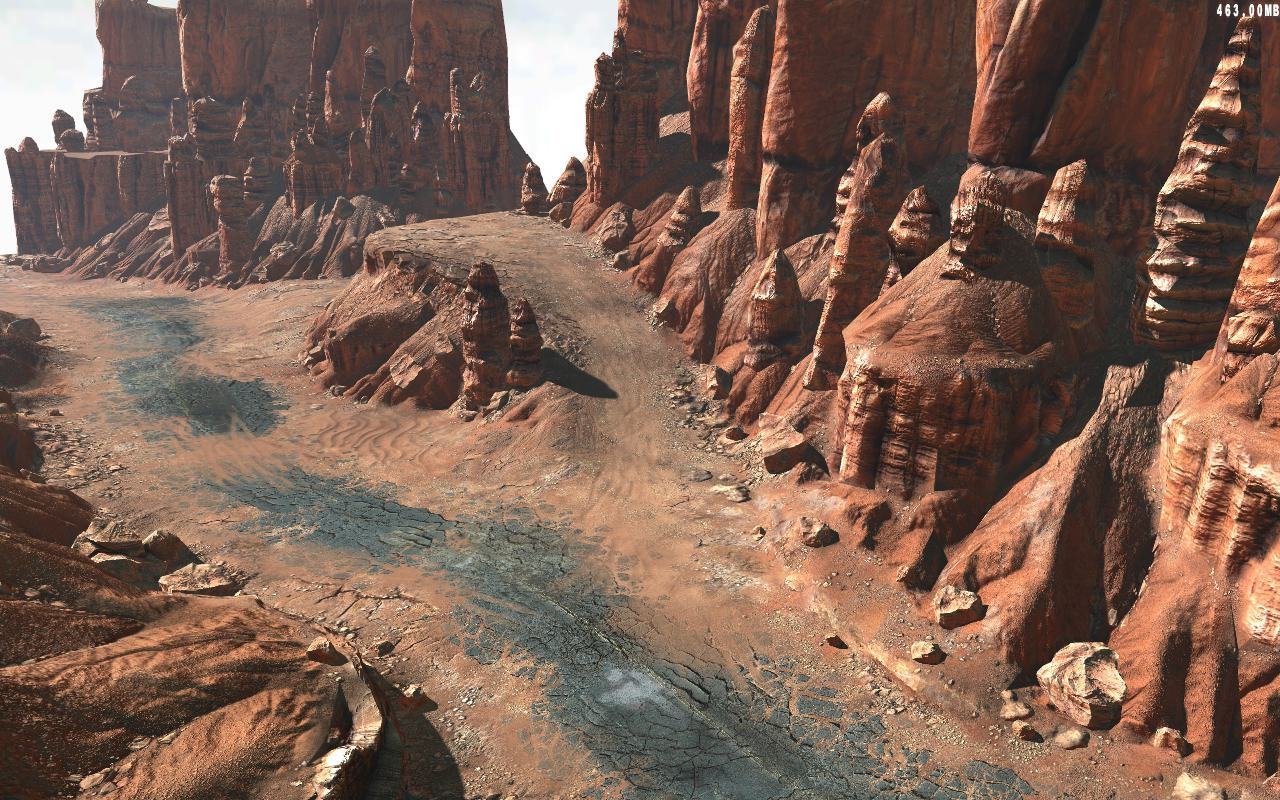
			<content type="html"><![CDATA[<div class="quotebox"><cite>anael wrote:</cite><blockquote><p>The water with the bridge looks really good !</p><p>There is this terrain test done for the game Rage that I found interesting :<br /><span class="postimg"><img src="http://image.jeuxvideo.com/images/pc/r/a/rage-pc-005.jpg" alt="http://image.jeuxvideo.com/images/pc/r/a/rage-pc-005.jpg" /></span></p><p>At some point I did a test with Blender and height map to generate a terrain, and I found some reference of real world elevation : <a href="http://johnflower.org/tutorial/finding-height-maps-web">http://johnflower.org/tutorial/finding-height-maps-web</a><br />This sort of data can be combined with a basic height map to add details.</p></blockquote></div><p>Can you elaborate, on how data from the johnflower site, can add &#039;detail&#039; to a existing heightmap ?</p><p>The data from&nbsp; johnflower seems to just be heightmaps ( which is the realworld data you refer to) ,so Im confused atm what you mean.</p><p>Also,and this isn&#039;t entirely fair to ask you ,,,Zester I think is away doing dev work on Ubuntu phone,so could you possibly elaborate on how he made/applied his terrain texture ? It has several&nbsp; textures which wouldn&#039;t be ideal/easy for average person to deal with given faik, it mandates shaders,,did he possibly just texture the terrain inside a paint app and bring that uvmap back in or just update it.</p><br /><br /><p>thx<br />gm</p>]]></content>
			<author>
				<name><![CDATA[VeganDev]]></name>
				<uri>http://forum.maratis3d.com/profile.php?id=18</uri>
			</author>
			<updated>2013-01-30T20:05:20Z</updated>
			<id>http://forum.maratis3d.com/viewtopic.php?pid=3626#p3626</id>
		</entry>
		<entry>
			<title type="html"><![CDATA[Re: Terrain and Landscape Study for Maratis]]></title>
			<link rel="alternate" href="http://forum.maratis3d.com/viewtopic.php?pid=3508#p3508"/>
			<content type="html"><![CDATA[<div class="quotebox"><cite>Wrapscallion wrote:</cite><blockquote><p>yeah....gonna need help with the blender import/export stuff, i know i can go to a blender tute site, but I need it in normal english, not linuxspeak. <img src="http://forum.maratis3d.com/img/smilies/tongue.png" width="15" height="15" alt="tongue" /> things i know i&#039;m gonna need help with....texture import in blender , importing a model in maratis , how would bones/rigging from a different modeler work in blender?</p></blockquote></div><p>I can tell/show you in zester speak <img src="http://forum.maratis3d.com/img/smilies/wink.png" width="15" height="15" alt="wink" /> lol</p>]]></content>
			<author>
				<name><![CDATA[zester]]></name>
				<uri>http://forum.maratis3d.com/profile.php?id=516</uri>
			</author>
			<updated>2013-01-18T00:03:54Z</updated>
			<id>http://forum.maratis3d.com/viewtopic.php?pid=3508#p3508</id>
		</entry>
		<entry>
			<title type="html"><![CDATA[Re: Terrain and Landscape Study for Maratis]]></title>
			<link rel="alternate" href="http://forum.maratis3d.com/viewtopic.php?pid=3505#p3505"/>
			<content type="html"><![CDATA[<p>yeah....gonna need help with the blender import/export stuff, i know i can go to a blender tute site, but I need it in normal english, not linuxspeak. <img src="http://forum.maratis3d.com/img/smilies/tongue.png" width="15" height="15" alt="tongue" /> things i know i&#039;m gonna need help with....texture import in blender , importing a model in maratis , how would bones/rigging from a different modeler work in blender?</p>]]></content>
			<author>
				<name><![CDATA[Wrapscallion]]></name>
				<uri>http://forum.maratis3d.com/profile.php?id=1085</uri>
			</author>
			<updated>2013-01-17T23:35:53Z</updated>
			<id>http://forum.maratis3d.com/viewtopic.php?pid=3505#p3505</id>
		</entry>
		<entry>
			<title type="html"><![CDATA[Re: Terrain and Landscape Study for Maratis]]></title>
			<link rel="alternate" href="http://forum.maratis3d.com/viewtopic.php?pid=3502#p3502"/>
			<content type="html"><![CDATA[<div class="quotebox"><cite>Wrapscallion wrote:</cite><blockquote><p>Cool stuff. I&#039;m working with Wings 3d for my terrains meshes, that way I can control what parts I want to be detailed a bit better. Also, when I&#039;m exporting from my csg modeler, I&#039;m importing it into wings3d and creating a single texture . haven&#039;t done anything with maratis from this process yet, But that&#039;s coming this weekend.</p></blockquote></div><br /><p>Thanks and Looking forward to seeing what you come up with Wrapscallion.</p>]]></content>
			<author>
				<name><![CDATA[zester]]></name>
				<uri>http://forum.maratis3d.com/profile.php?id=516</uri>
			</author>
			<updated>2013-01-17T22:26:50Z</updated>
			<id>http://forum.maratis3d.com/viewtopic.php?pid=3502#p3502</id>
		</entry>
</feed>
